“The fact that you can run AI models locally, with this much precision and functionality, is mind-blowing.”
On Device AI is your Private Local AI Workspace.|
Chat, voice, listening, and research for iPhone, iPad, Mac, and Apple Vision Pro.
Stop sending your private files, transcripts, and daily work to remote servers by default. Ask questions, organize PDFs, record speaker-labeled meetings, and turn documents and feeds into a listening queue you can take with you. Fast, offline-ready, and private by design.
200+ Local Models
Free Custom Imports
AI Voice Notes
Listen Library & RSS
200+ local models · No account · No analytics · Works offline after model download
AI Teams
Offline
Choose the Private AI Workflow You Need
Start from the job you want done. Each path links to a focused guide or use-case page with the details.
Run Local AI Privately
Download a model and chat offline with GGUF or MLX models on Apple hardware.
Analyze Private Documents
Use Knowledge Libraries to ask questions across PDFs, notes, transcripts, saved searches, images, and web captures.
Listen To Documents And Feeds
Turn PDFs, articles, scanned books, and RSS feeds into a private reading and listening queue with Up Next and a sleep timer.
Capture Private Notes
Create quick notes, choose a default library, and reuse notes later in AI Chat.
Record And Summarize Meetings
Transcribe audio locally, label speakers, and turn recordings into notes and action items.
Build An AI Team
Use Chat Flows and specialized roles for research, analysis, writing, and review workflows.
Connect Optional Cloud Providers
Bring your own provider when a task needs remote frontier models. Cloud stays off until you configure it.
Automate Daily Work
Use widgets, Shortcuts, Siri, Calendar, and Reminders with explicit permissions and review steps.
Act From The Home Screen
Resume listening, play the next item, open RSS Feeds, or start a note from iPhone, iPad, and Mac widgets.
Use Local AI On Vision Pro
Bring private AI chat, web search, and spatial workflows to Apple's immersive platform.
Claims You Can Verify
Check the product guides, privacy policy, screenshots, and public app pages behind our claims.
No account, analytics, or telemetry
Local AI processing is designed around device-local storage and processing. See the Privacy Policy.
Documented local workflows
Core workflows have public guides for Knowledge Libraries, Text Notes, AI Search, Voice Notes, and Shortcuts & Automation.
Free download, optional upgrades
Start with local workflows. Pro features and cloud providers are optional, and cloud providers require explicit configuration.
Complete Model Freedom & Control
On Device AI includes a catalog of 200+ local models through GGUF and MLX inference engines, plus 19+ optional cloud providers. Import compatible custom GGUF models when you need a model that is not in the catalog.
200+ Local Models & 19+ Cloud Providers
Run Llama, DeepSeek, and Gemma directly on your device with GGUF and MLX engines. When a task needs an online model, configure an optional provider such as OpenAI or Anthropic.
Multi-Agent Teams
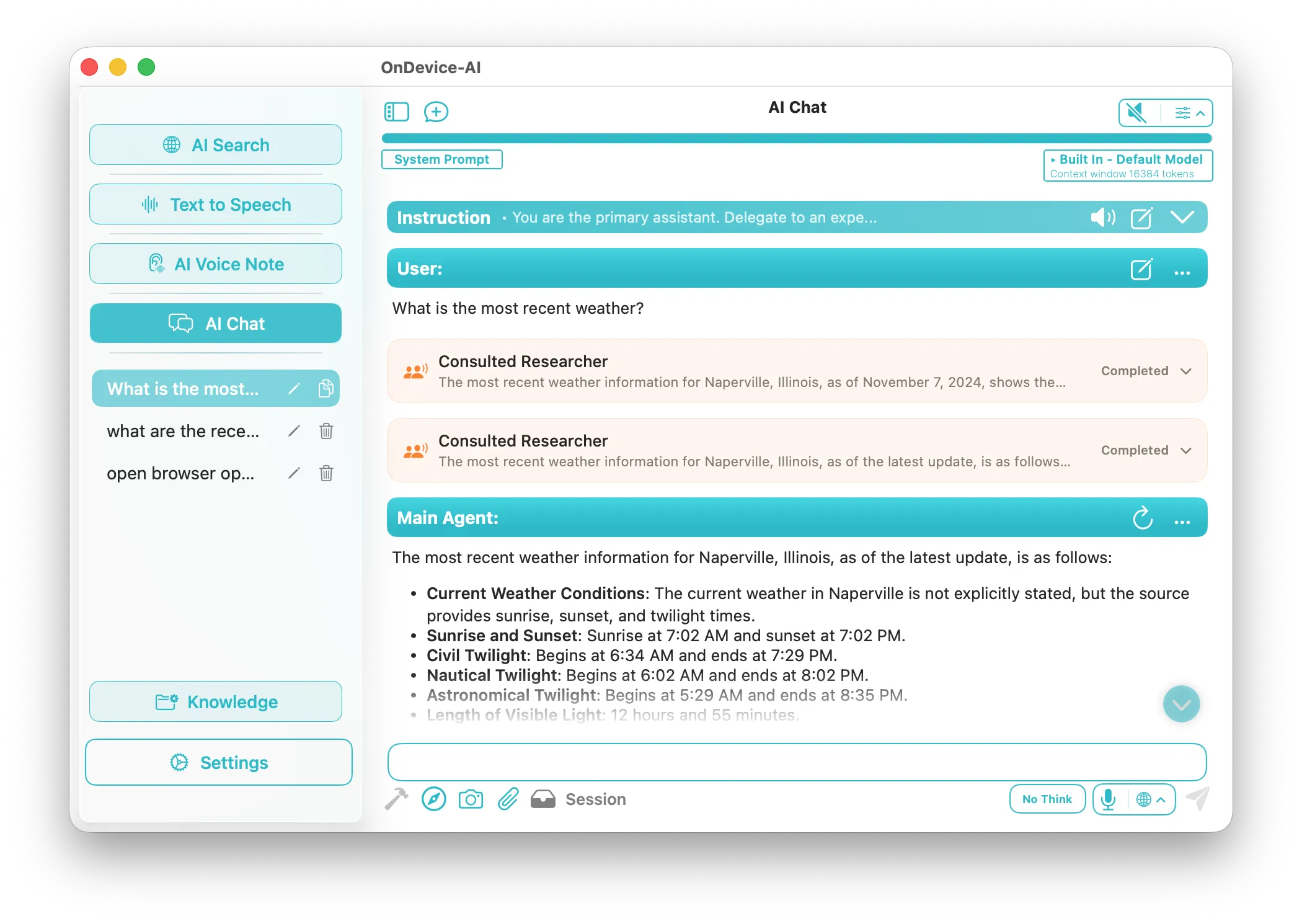
Orchestrate specialized AI agents that collaborate autonomously. Assign distinct roles and models for complex tasks.
Knowledge Libraries
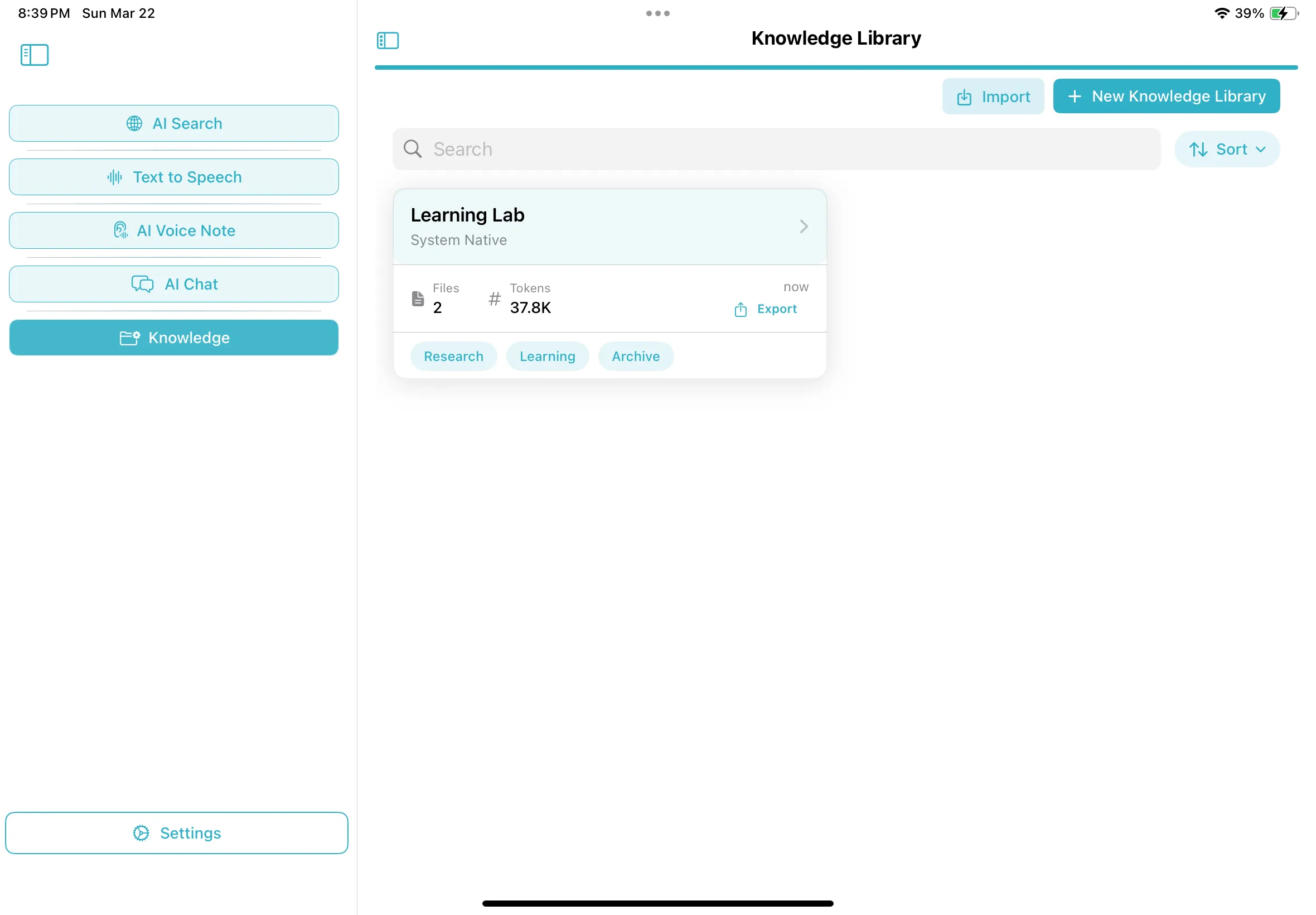
Your documents, your memory. Import PDFs and notes to create focused contexts. The AI retrieves answers securely locally.
Pure Native Ecosystem
A unified native app optimized for macOS, iOS, iPadOS, and visionOS. Turn your Mac into a private local inference server to run heavy models, then access it securely from your iPhone. No sluggish web wrappers or Electron bloat, just responsive, GPU-accelerated Swift code.
What Can On Device AI Do?
On Device AI brings chat, document and knowledge workflows, voice transcription and notes, text-to-speech, listening, RSS feeds, research, and automation to iPhone, iPad, Mac, and Apple Vision Pro. Local workflows can run after you download a compatible model; cloud providers and web features are optional.
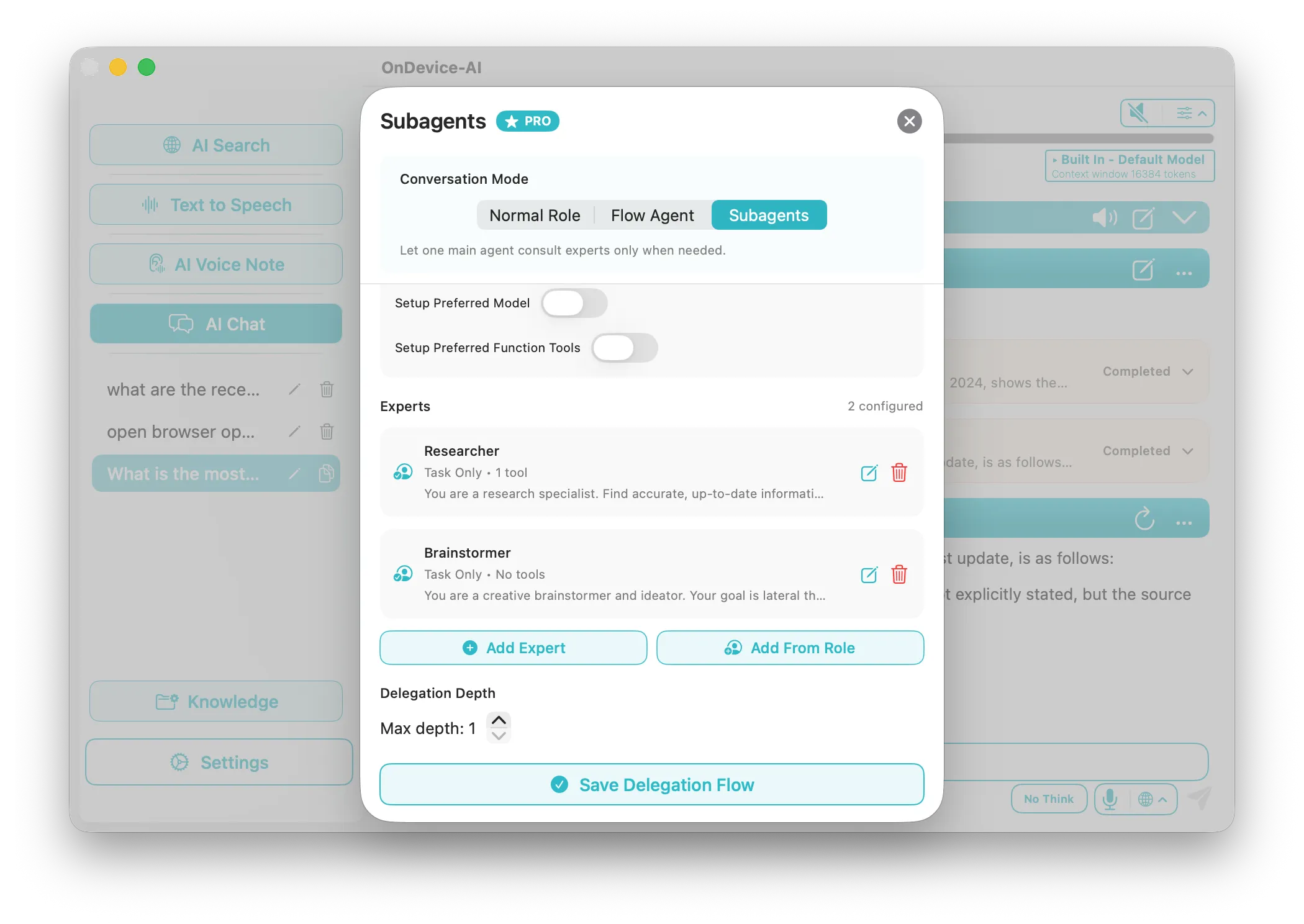
Subagents & Workflow Automation
Multiply your productivity. Deploy specialized agents (e.g., Researcher, Analyst, Writer) that consult each other to tackle complex projects simultaneously across your devices.
Learn more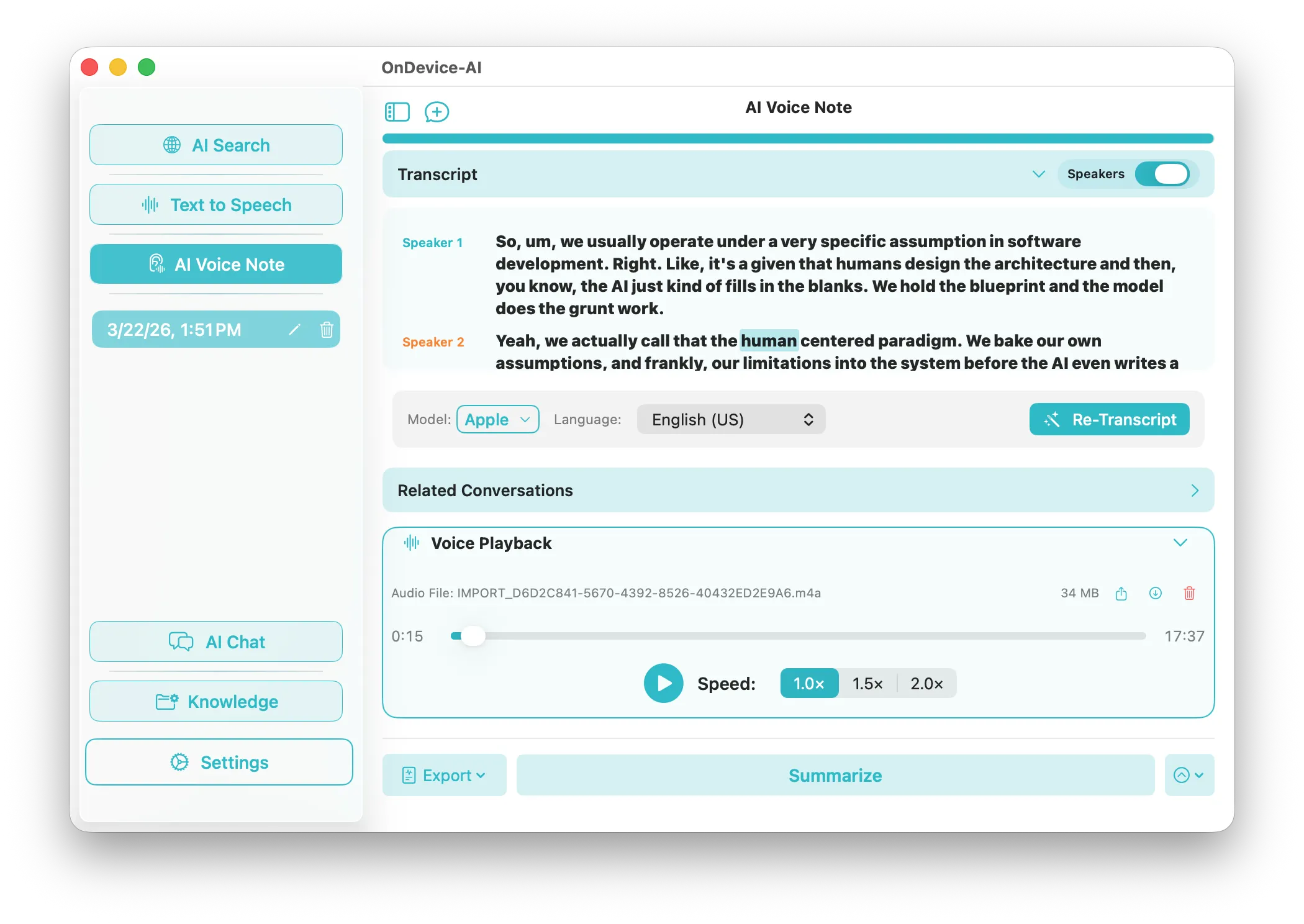
Voice Notes & Transcription
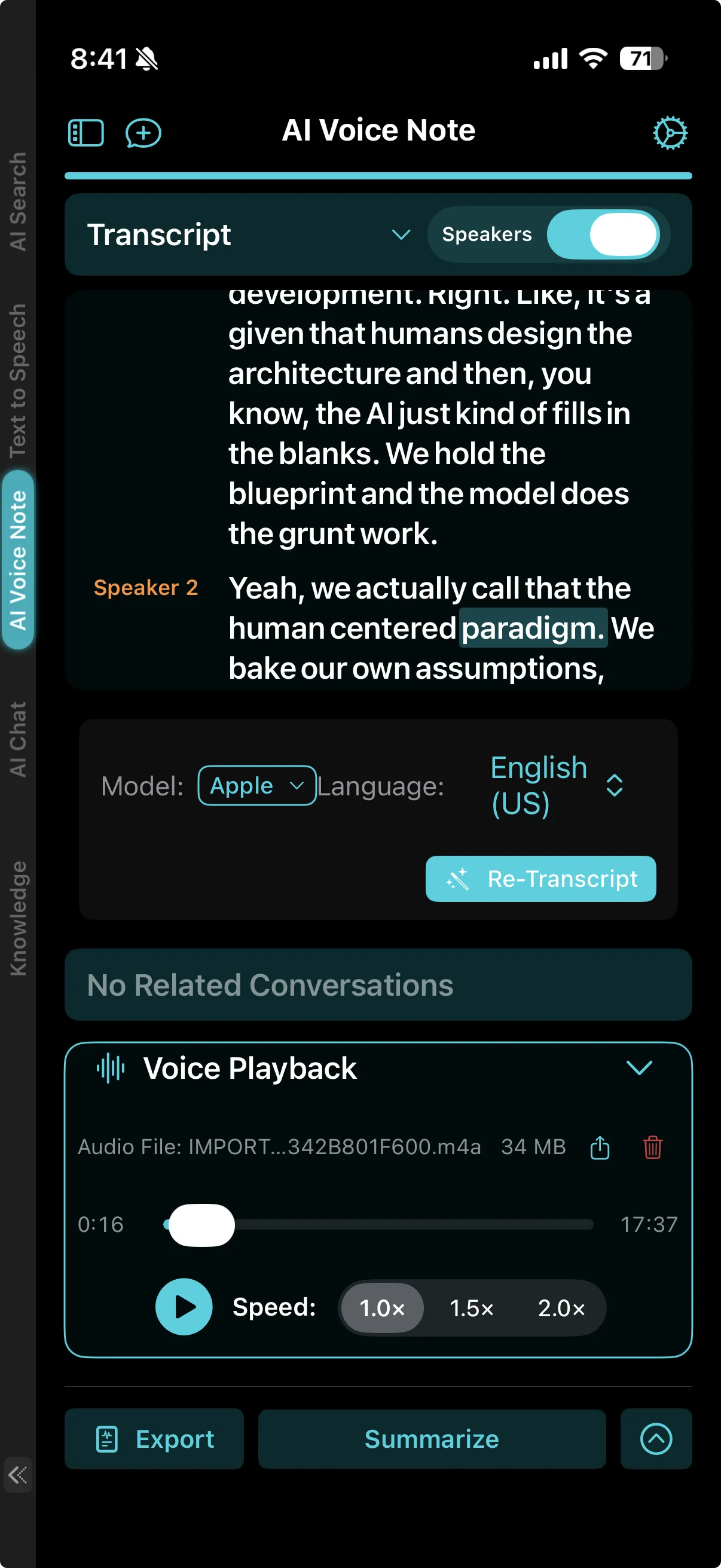
Record or import audio to transcribe and summarize meetings directly on your device. Local speaker identification (diarization) automatically labels who said what, giving you clean minutes without sending confidential audio to the cloud.
Learn more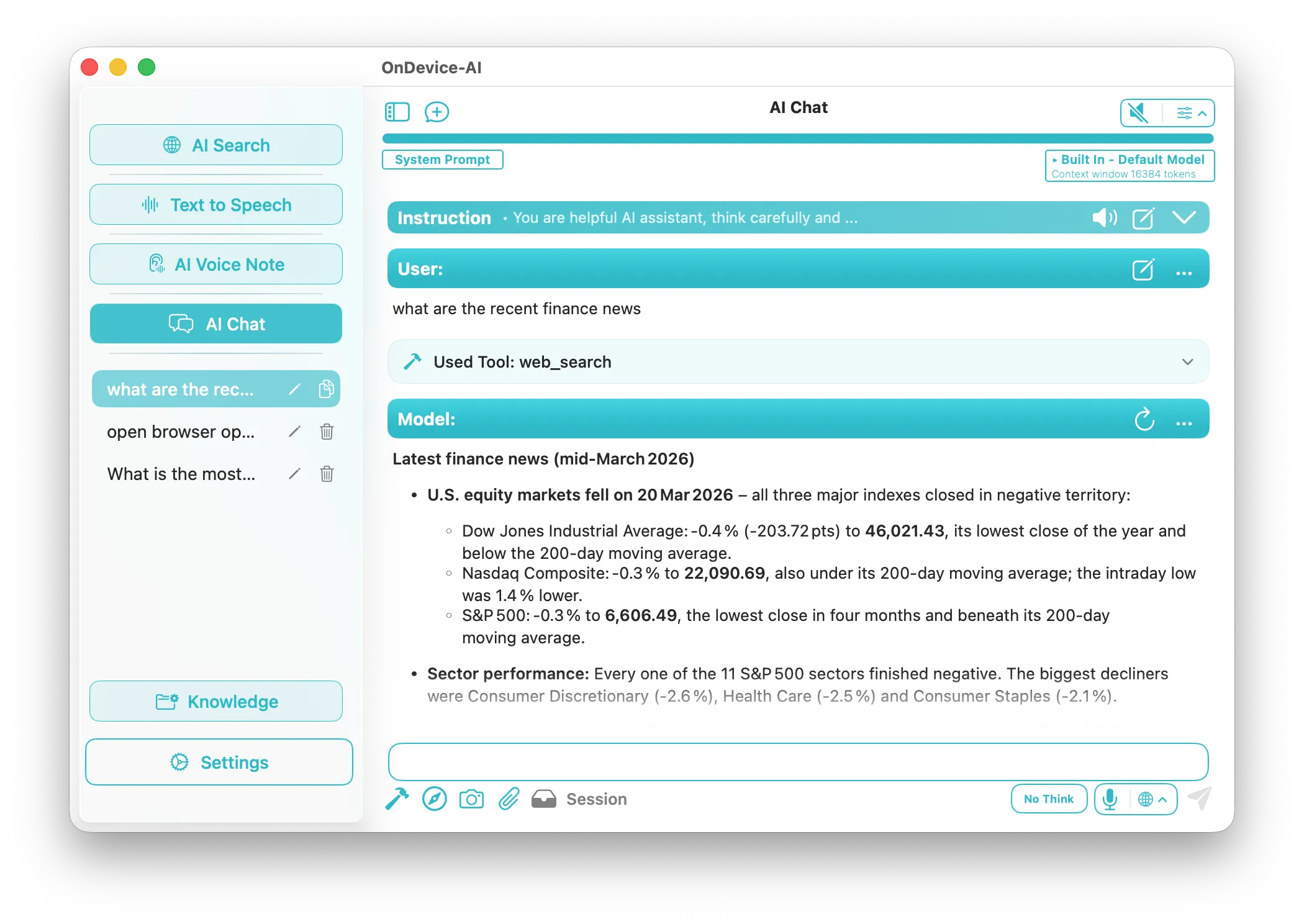
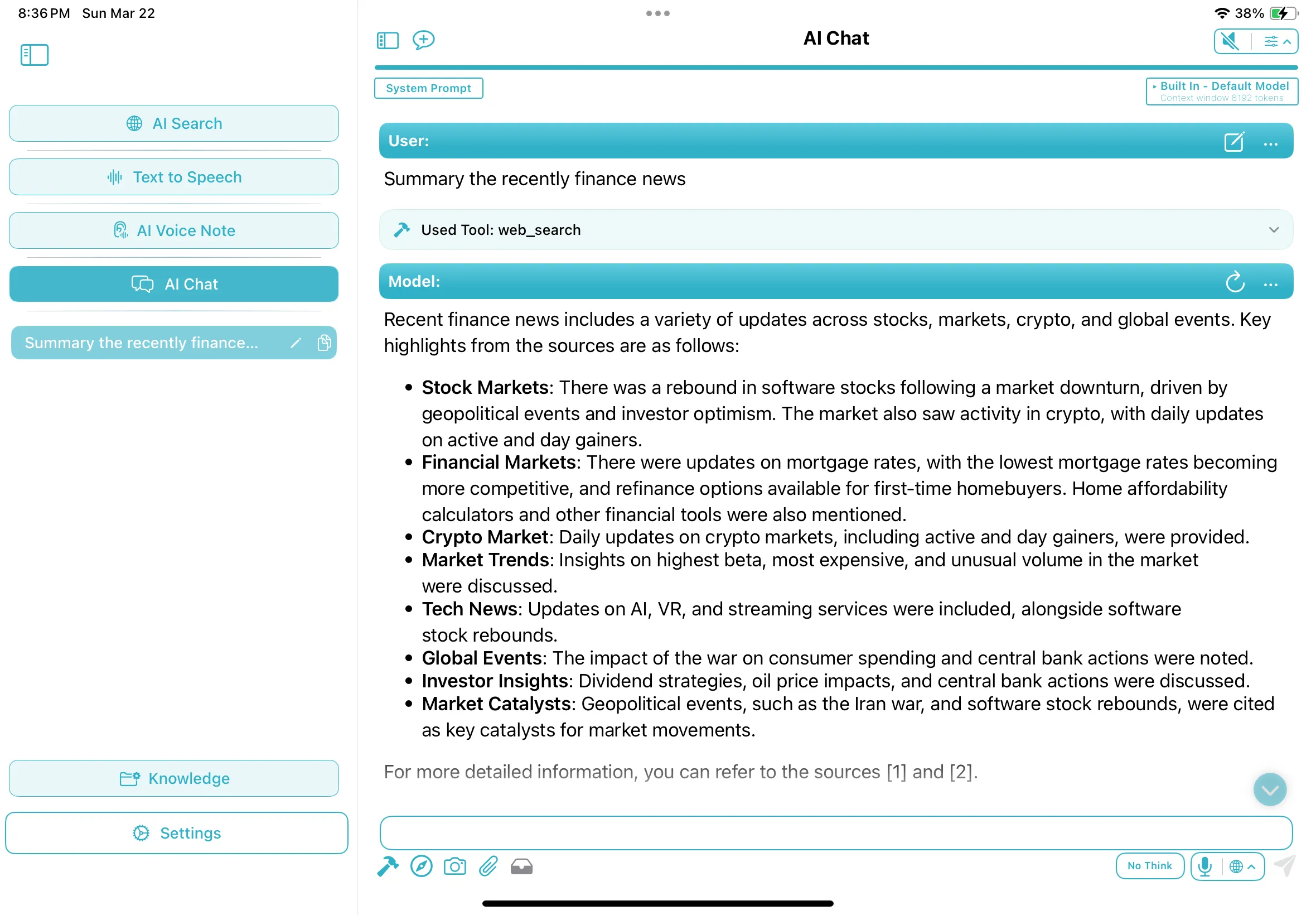
AI Search & Tools
Ask research questions, get cited answers, and save useful search results to a Knowledge Library for later. Tool calling also lets compatible models use search, page fetch, calculator, memory, and other enabled tools.
Learn more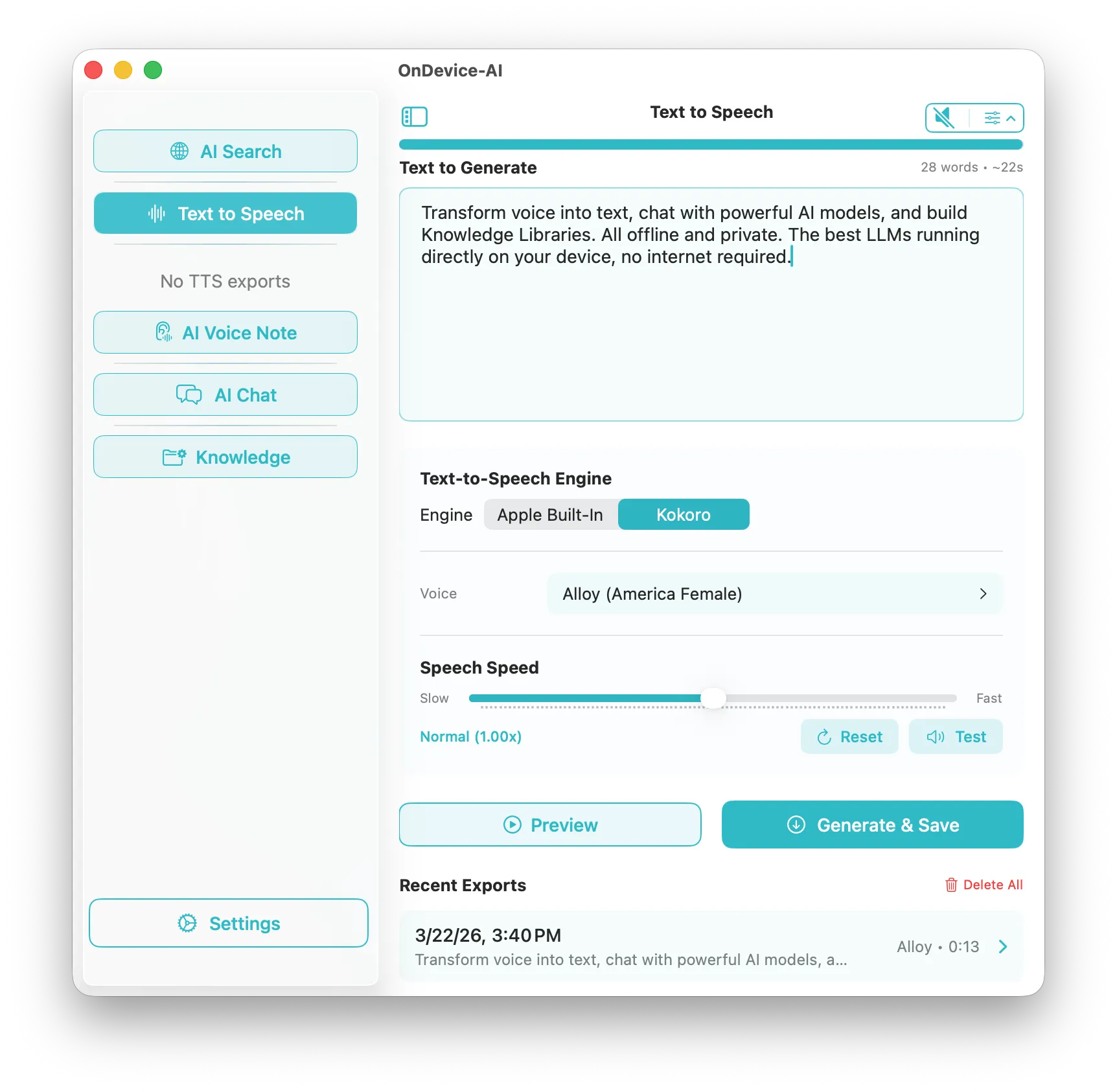
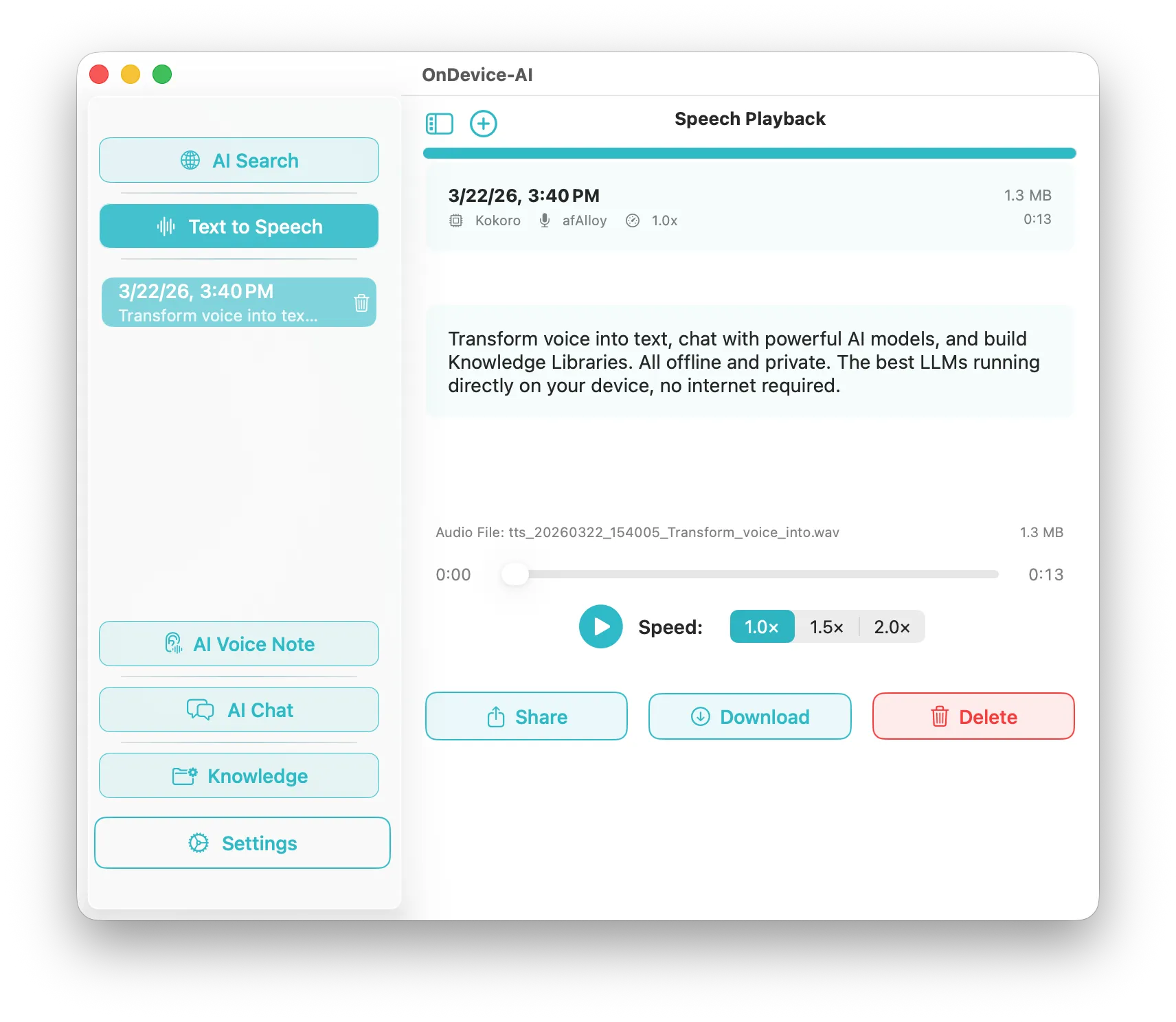
Professional Text-to-Speech
Turn text, documents, or a passage captured from an image into natural speech. Apple voices, Kokoro, and other on-device engines generate expressive audio locally, with no external server requests or bandwidth limits. For queued playback, the Listen Library keeps PDFs, articles, scanned books, and RSS feeds in one Up Next list.
Learn more Listen Library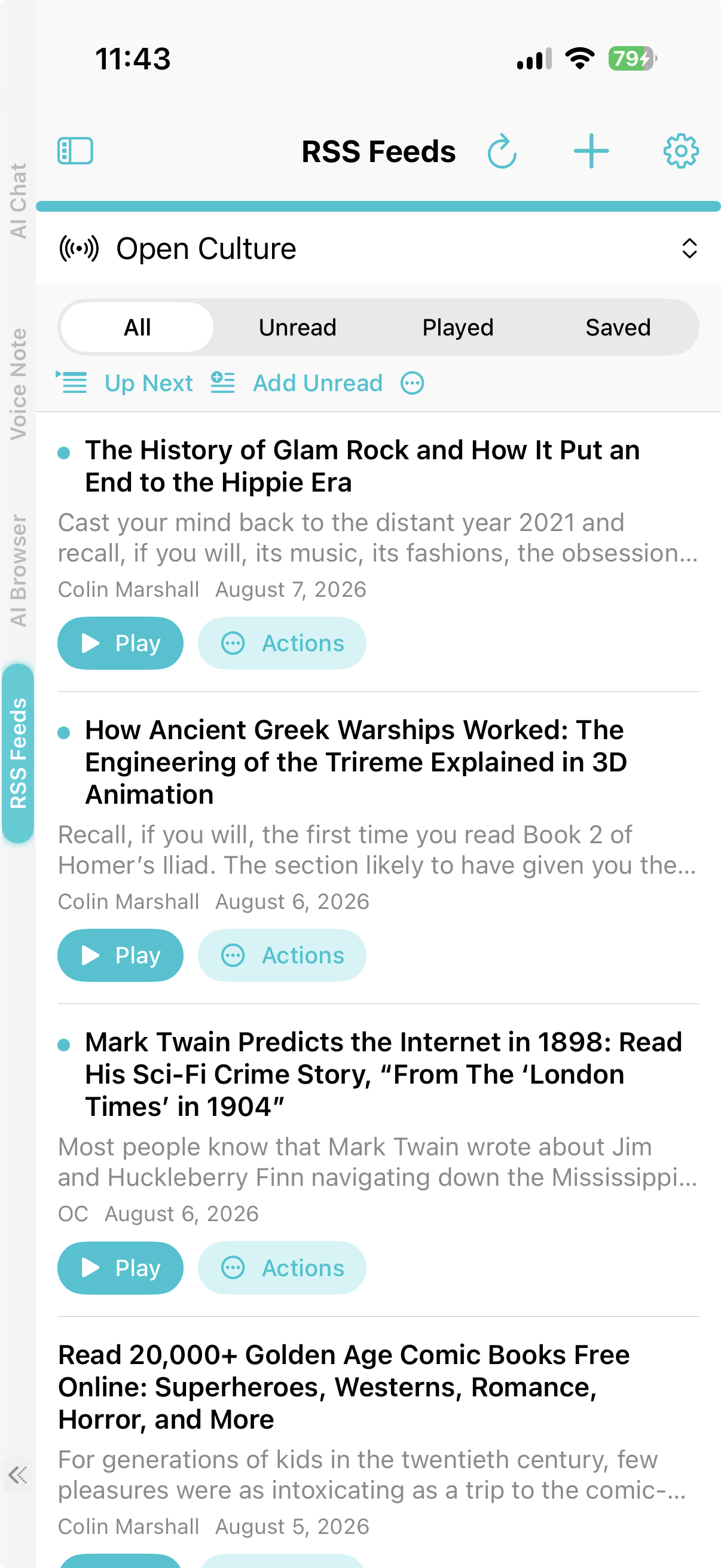
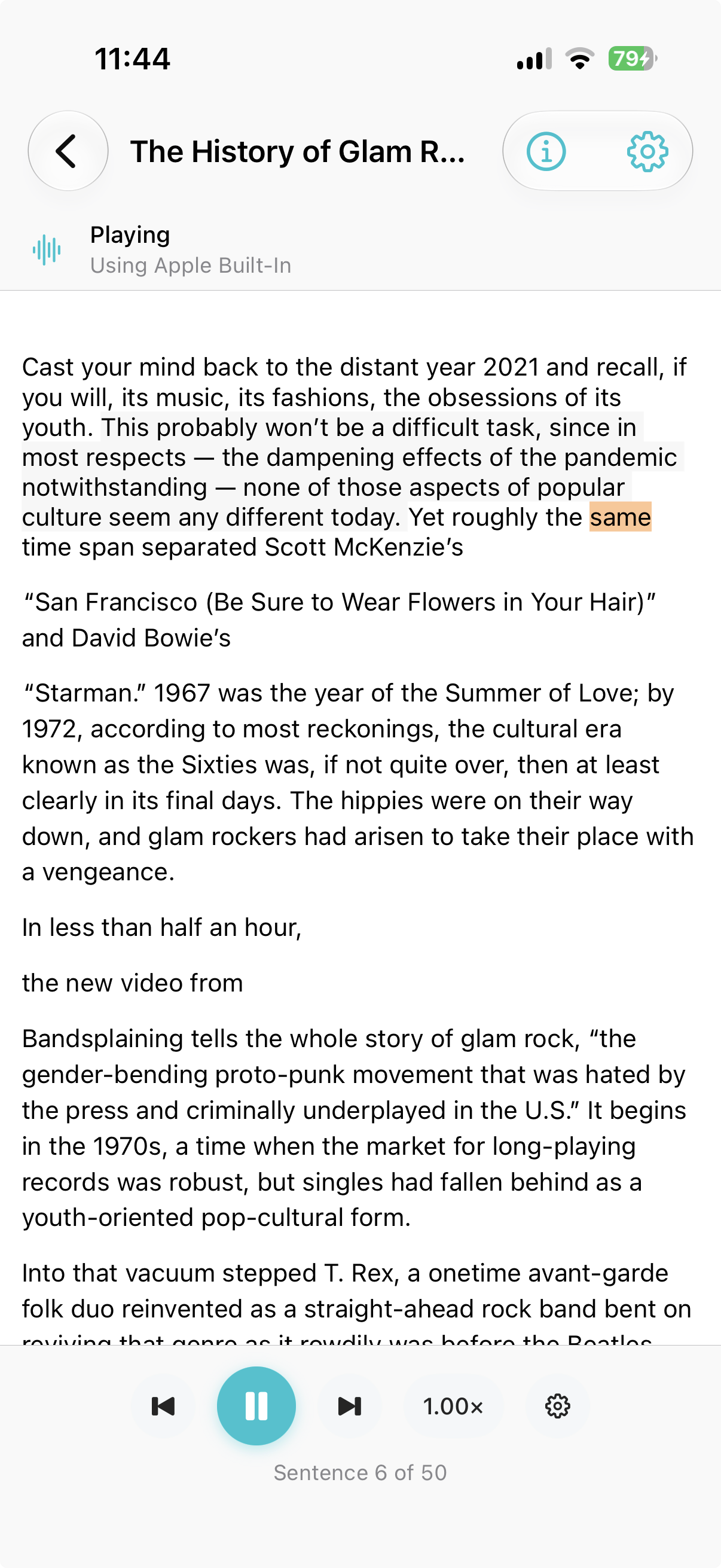
Turn Feeds Into a Listening Queue
Follow RSS, Atom, and JSON feeds, filter new articles, and add what matters to Up Next. Read along with sentence highlighting or keep listening through the shared player, with article processing and narration handled on your device.
Explore RSS Feeds See Listen Library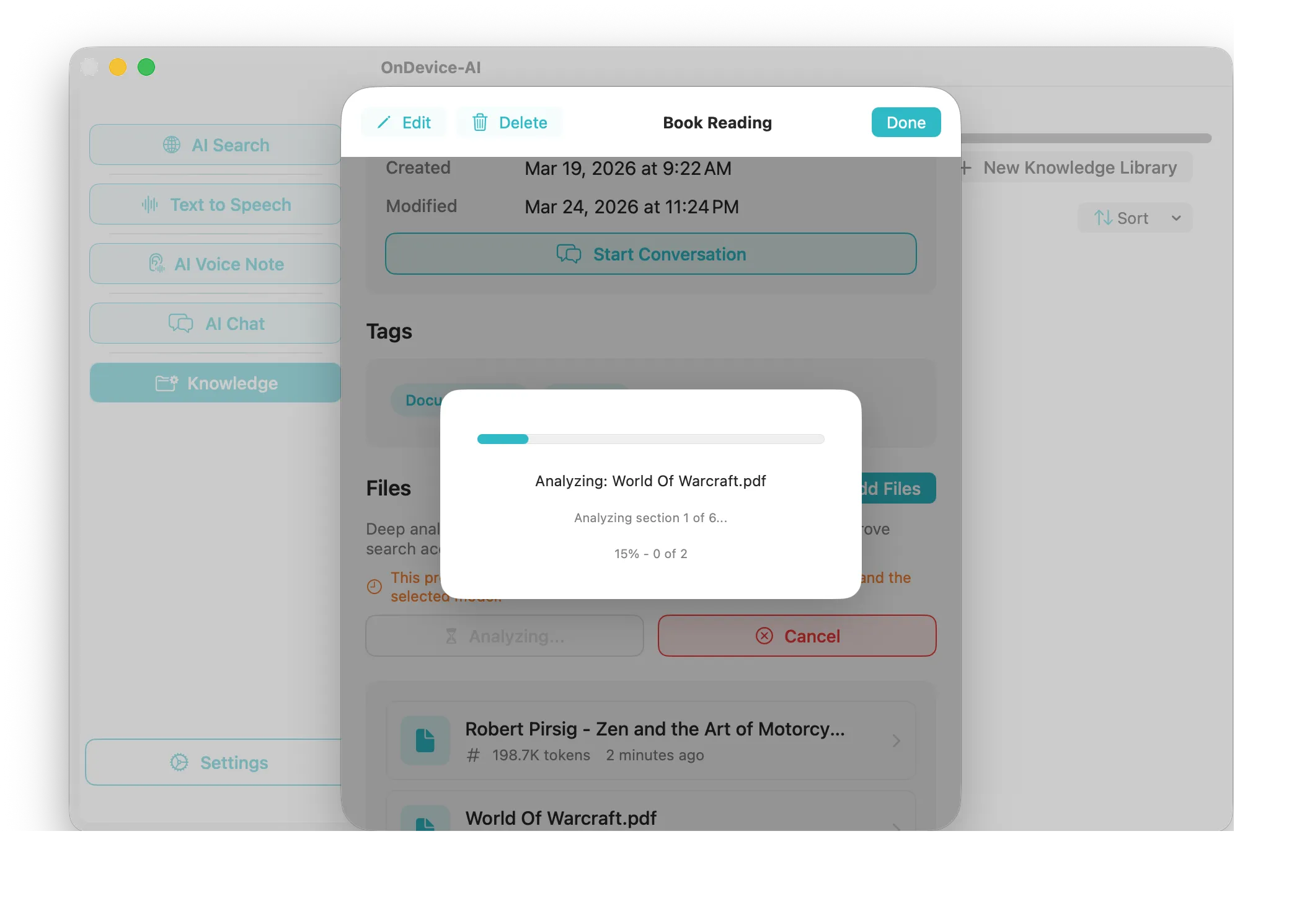
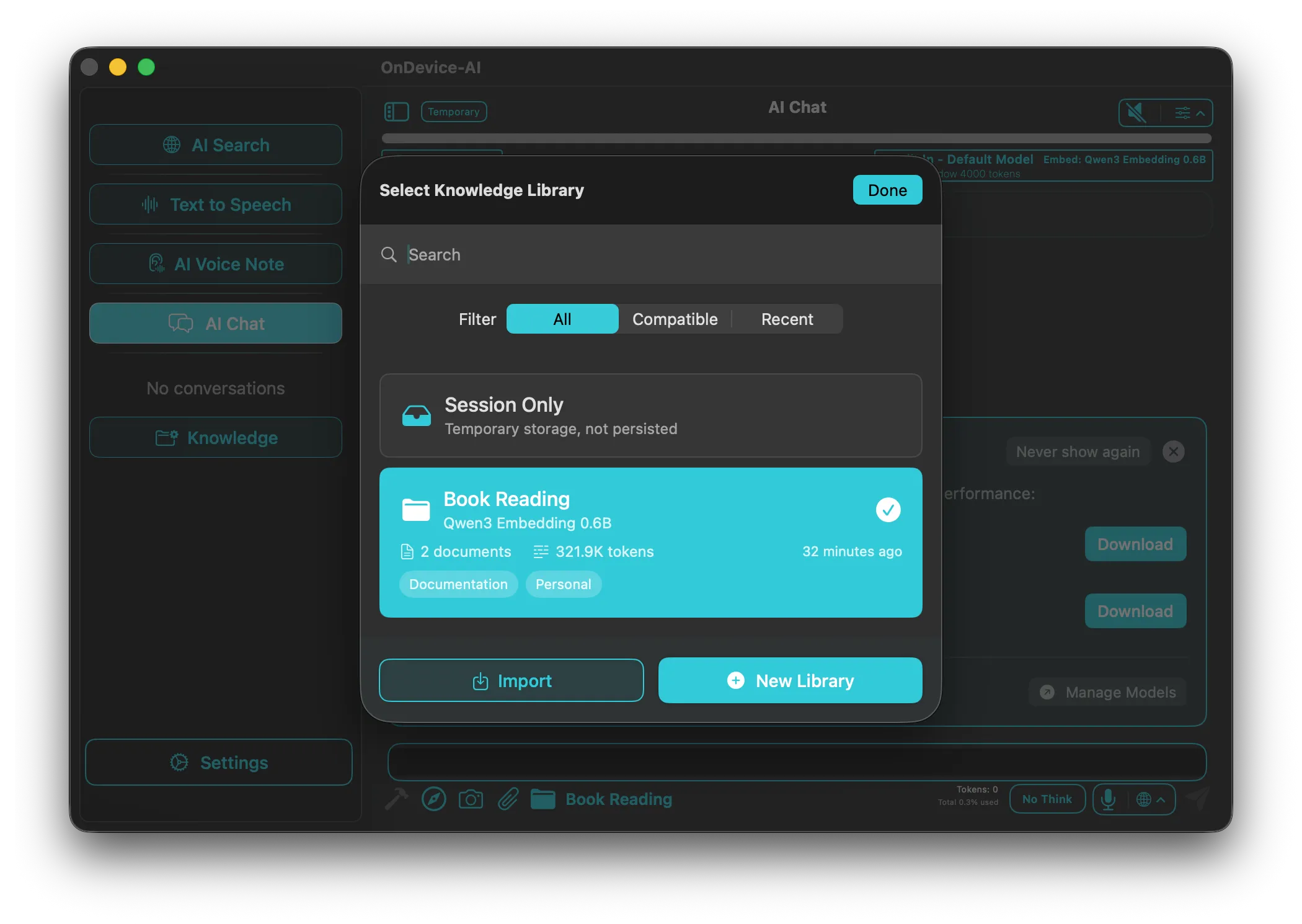
Knowledge Libraries, Notes & Files
Collect PDFs, notes, transcripts, saved searches, images, and web captures in project libraries. Then ask AI Chat questions based on the material you chose.
Learn morePrivacy-First Technology
For local workflows, On Device AI processes chats, documents, recordings, and notes on your Apple device after you download a compatible model. Local use does not require an account, and the app does not use analytics or telemetry; cloud and web features are optional. Read the Privacy Policy for how data handling changes when you enable an online service.
Traditional Cloud AI
Your Data
Cloud Server
AI Response
- Privacy risk: data leaves your device
- Limited control over your data
- Internet connection required
On-Device AI
Your Data
Local AI
Instant Response
- Private by default: local data stays on your device
- Fully customizable models and roles
- Works completely offline
Secure by Design
All processing stays within your physical hardware boundary. No accounts, no telemetry, and zero third-party tracking.
-
Zero Data Leakage
Your conversations, documents, and voice recordings never leave your device during AI processing.
-
Complete Anonymity
No accounts required, no telemetry, no usage tracking. You own your data completely.
-
Offline First
Core features work without internet. Cloud providers are optional and require your explicit consent.
Voice Input (STT)
Local AI Processing
Text & Speech Output (TTS)
External Blocked
Spatial Intelligence on Vision Pro
Immerse yourself in your AI workflows with breathtaking native visionOS support.
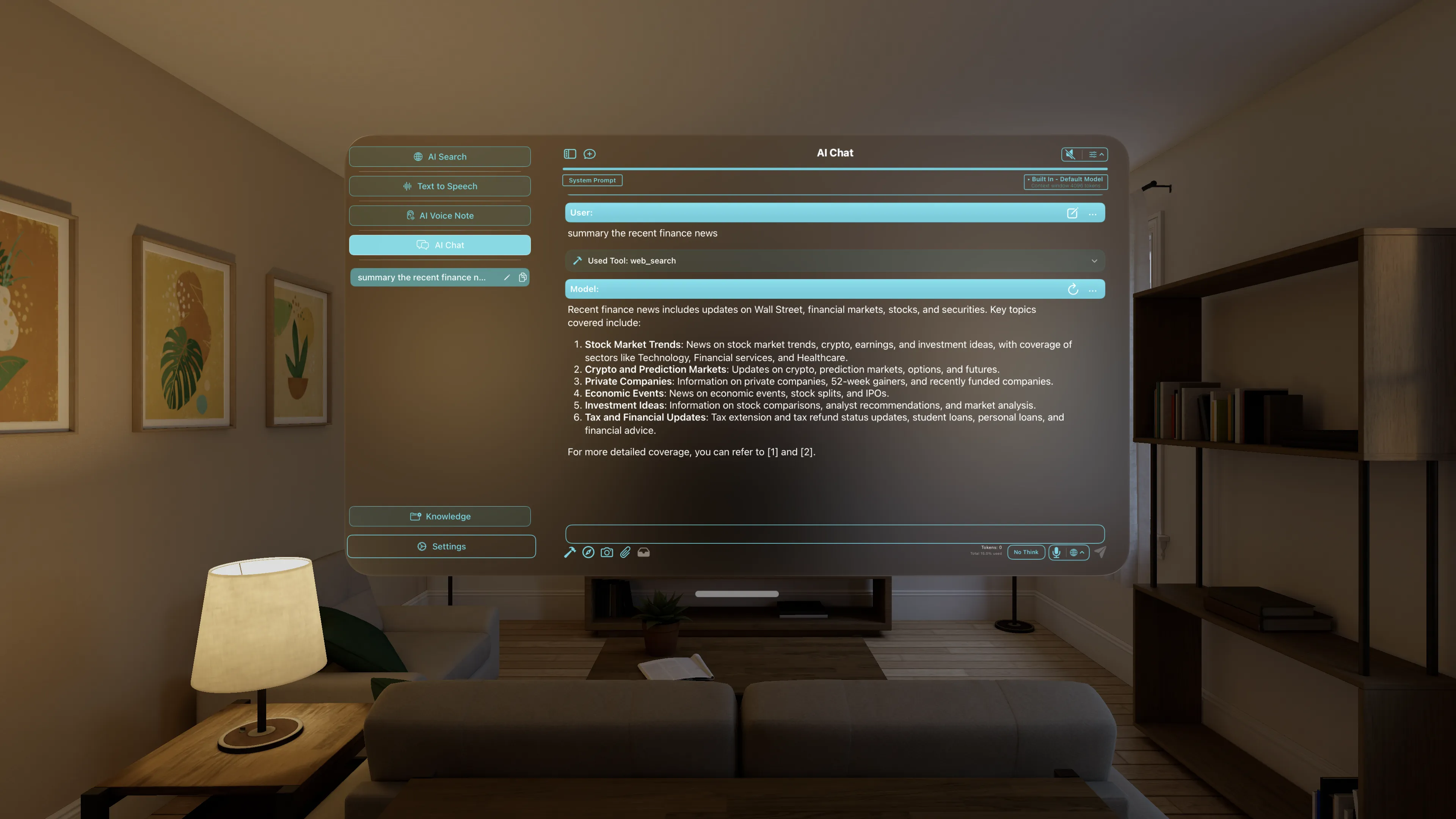
Available on All Apple Platforms
On Device AI runs on iPhone and iPad with iOS or iPadOS 18 or later, Apple Silicon Macs with macOS 15 or later, and Apple Vision Pro with visionOS 2.0 or later. The same app adapts its workflows and controls to each device.
iOS
iPhone & iPad
- Voice transcription on the go
- Siri Shortcuts integration
- Camera & Vision model support
- Background recording
- Home Screen widgets for Listen, Voice Note, Text Note, and Quick Actions
macOS
Apple Silicon Macs
- Maximum performance & large context
- Menu bar & global hotkeys
- IM integration (Discord, Slack, Telegram)
- Serve as remote inference server
- Desktop widgets for Listen, notes, and quick actions
visionOS
Apple Vision Pro
- Immersive AI experience
- Spatial computing ready
- Hand gesture controls
- Private AI in mixed reality
- Listen Library and RSS Feeds

Free download · No ads · Privacy first
Frequently Asked Questions
On Device AI runs 200+ language models (Llama 3, Gemma 3, Qwen
3, DeepSeek, Phi-4, Mistral) directly on your iPhone, iPad, Mac, or Vision Pro using
GGUF and MLX inference engines. All processing happens on your device with zero data
collection. No internet required for core features.
Yes. Once you download a model, voice transcription, document
analysis, AI chat, Knowledge Libraries, vision models, and text-to-speech all work
without internet. Cloud AI providers are available as opt-in additions but disabled by
default.
200+ models including Llama 3, Gemma 3, Qwen 3, DeepSeek,
Phi-4, and Mistral. You can also import custom GGUF models from Hugging Face. The app
uses both llama.cpp (GGUF) and MLX inference engines for broad compatibility on Apple
Silicon.
You deploy specialized AI agents that collaborate on a single
task. A Researcher gathers information, an Analyst evaluates it, a Writer produces the
output. Each agent can use a different model and role. The whole workflow runs locally
on your device.
iPhone 14 and newer, iPad mini 7th gen and newer, iPad Air 5th
gen and newer, iPad Pro 3rd gen and newer, iPad 11th gen and newer, all Apple Silicon
Macs, and Apple Vision Pro. Devices with 6GB+ RAM provide optimal performance.
Yes. On Device AI supports 19+ cloud providers including
OpenAI, Anthropic Claude, Google Gemini, Groq, OpenRouter, Nvidia, LM Studio, and
Ollama. Cloud is off by default and requires your explicit configuration. You can mix
local and cloud models in the same conversation.
Project-specific document stores. Import PDFs, notes,
transcripts, saved AI Search results, web captures, and images into a Library. AI Chat
can answer from the material you choose while local workflows keep files on your device.
The Listen Library turns PDFs, Markdown, text files, readable
web articles, and scanned books into a private reading and listening queue. RSS Feeds
sits alongside it, so you can follow RSS, Atom, and JSON sources, add articles to Up
Next, keep your place, and set a sleep timer at night. Knowledge Libraries remain the
place to retrieve document passages into AI Chat.
App Help is a focused help chat backed by the app's built-in
guide. Ask in English how a feature or setting works, and it answers using the model you
already have active. Help sessions stay in memory and never appear in your saved chats.
The interface supports English plus Dutch, French, German,
Italian, Japanese, Spanish, Portuguese, and Traditional Chinese. Widgets follow the
language you select in the app. App Help answers in English.
Yes. Local vision models using both MLX and GGUF engines, plus
cloud vision APIs as opt-in. Analyze photos, screenshots, diagrams, and documents with
OCR text extraction, all processed on your device.
Yes. ChatGPT sends your data to OpenAI's servers for
processing. On Device AI runs models directly on your hardware. No data collection, no
accounts, no analytics, no telemetry. Your conversations never leave your device during
local processing. Cloud-first assistants can offer stronger frontier reasoning, while
On Device AI prioritizes local control and offline workflows.
On Device AI runs 200+ models on Apple Silicon Macs with both
GGUF and MLX engines. Mac-specific features include menu bar access, global hotkeys, IM
integration for Discord/Slack/Telegram, and the ability to serve as a remote inference
server for your iPhone and iPad.
Yes. Voice transcription includes speaker diarization, which
identifies who said what during meetings, interviews, and conversations. It runs
on-device using a Whisper-based speech-to-text engine. No audio is sent externally.
Yes. On Device AI offers three on-device text-to-speech
engines: Apple Voices for built-in, multilingual speech; Kokoro TTS for neural speech
after a one-time download; and PocketTTS for low-latency English speech with Pro. Use
them to read PDFs, articles, or AI responses aloud without an internet connection. See
the text-to-speech guide for details.
GGUF models use llama.cpp and work across a wide range of
hardware with broad model compatibility. MLX models are optimized for Apple Silicon and
can offer better memory efficiency. On Device AI supports both, so you can pick the
right engine for your device and workload.
On Device AI includes IM chatbot integration for Discord,
Slack, and Telegram on macOS. Your Mac acts as the inference server, so messages are
processed locally on your hardware rather than a cloud server.
On Device AI is free to download. Local workflows can run
without an account, and Pro features are optional. Cloud providers are opt-in and may
require your own third-party API credentials or provider billing.
Selected App Store Reviews
A few comments from the app’s public review page.
“Having access to LLMs offline, when Wi-Fi connectivity isn’t available, is a much appreciated gift.”
“The ability to make a Shortcut that allows for running an LLM in the background is great.”